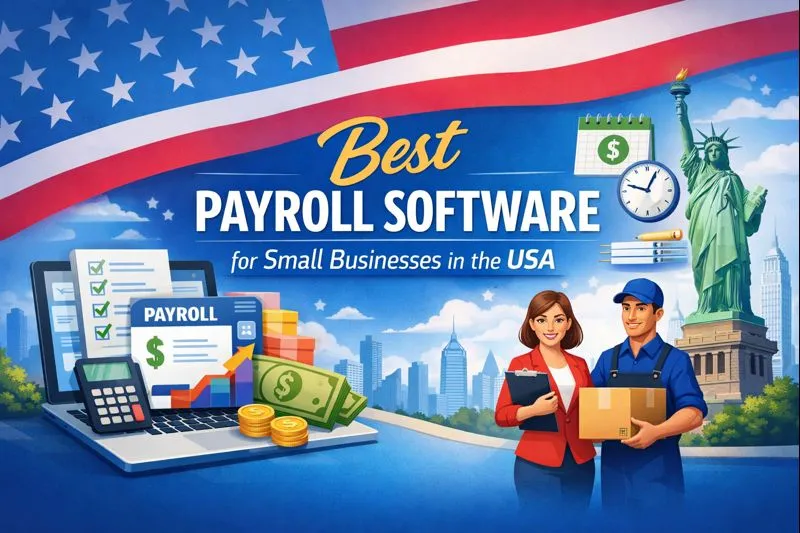
Best Payroll Software for Small Businesses in the USA
Payroll sounds simple until you actually have to run it.
You need to pay employees correctly, handle federal and state payroll taxes, track deductions, prepare tax forms, and somehow remember every deadline. One tiny mistake can turn a normal Friday afternoon into an unexpectedly expensive headache.
That’s why the best payroll software for small businesses in the USA should do more than calculate paychecks. It should automate tax filing, simplify employee payments, reduce manual work, and give you enough HR support to keep things moving.
I’ve compared the major options based on features, pricing, ease of use, payroll automation, tax support, scalability, and overall value. If I had to narrow the list quickly, Gusto stands out as the best all-around choice for many small businesses, while QuickBooks Payroll makes more sense if you already run your accounting through QuickBooks.
Let’s break down the options without turning this into a 47-page payroll manual. 🙂
Quick Comparison: Best Payroll Software for Small Businesses
Here’s the quick version before we get into the details.
| Payroll Software | Best For | Starting Pricing* | Standout Feature |
|---|---|---|---|
| Gusto | Best overall | $49/month + $6/person | Simple payroll + HR |
| QuickBooks Payroll | QuickBooks users | $50/month + $6.50–$7/person | Accounting integration |
| OnPay | Best value | $49/month + $6/worker | Transparent pricing |
| ADP RUN | Growing businesses | Custom quote | Payroll + HR scalability |
| Patriot Payroll | Budget-conscious businesses | $17/month + $4/worker | Low-cost payroll |
| Square Payroll | Square users | Varies | Payroll ecosystem integration |
| Paychex Flex | HR-focused businesses | Custom quote | HR and payroll services |
*Pricing can change, and promotional offers may apply. Always check the provider’s current pricing before purchasing.
What Is Payroll Software?
Payroll software helps a business calculate employee wages, deductions, taxes, and payroll-related payments.
Instead of opening spreadsheets every payday and manually calculating everything, you enter employee information and let the software handle much of the repetitive work.
Modern payroll platforms can typically help with:
- Employee payroll calculations
- Federal and state payroll tax calculations
- Payroll tax filings
- Direct deposits
- Employee pay stubs
- W-2 and 1099 forms
- New-hire reporting
- PTO tracking
- Time tracking
- Benefits administration
- Payroll reports
- Employee self-service
- HR management
The biggest advantage? Automation.
Nobody starts a small business because they dream about calculating payroll deductions at 10:47 p.m. on a Thursday. Yet here we are.
What Makes the Best Payroll Software for Small Businesses?
Not every payroll platform fits every company.
A five-person marketing agency has different needs from a 40-person construction company. A restaurant with hourly workers needs different tools from a consulting firm with salaried employees.
So what should you actually look for?
1. Automatic Payroll Tax Filing
This feature should sit near the top of your checklist.
Good payroll software can calculate applicable taxes and handle required filings and payments. That can reduce manual work and help you avoid costly mistakes.
For most small businesses, full-service payroll makes more sense than software that only calculates payroll.
2. Direct Deposit
Employees expect their money to arrive on time.
Look for software that supports direct deposit and gives you clear payroll deadlines. Some providers also offer faster payment options depending on the plan.
3. Employee Self-Service
Why should you answer the same question about pay stubs 14 times?
Employee portals can let workers access:
- Pay stubs
- W-2 forms
- Tax information
- Direct-deposit details
- Personal information
- Certain HR documents
That saves everyone time.
4. Multi-State Payroll
Do you have employees in different states?
Then pay attention here.
Multi-state payroll can introduce additional tax and compliance requirements, so choose a platform that supports the states where you operate.
Gusto’s higher-tier plans, for example, support multi-state payroll, while OnPay includes payroll in multiple states within its core payroll offering.
5. Accounting Integrations
Payroll affects your financial statements, so your payroll system should work nicely with your accounting software.
If you already use QuickBooks, QuickBooks Payroll deserves serious consideration because Intuit connects payroll, employee management, and accounting tools within its ecosystem.
6. HR Features
Payroll represents only one part of managing employees.
As your company grows, you may also need:
- Employee onboarding
- Time tracking
- PTO management
- Benefits administration
- HR documents
- Employee records
- Compliance resources
A payroll platform with useful HR features can prevent you from buying five different subscriptions later.
Best Payroll Software for Small Businesses: Gusto
Why Gusto Gets the Best Overall Pick
If you want payroll software that feels approachable instead of intimidating, Gusto deserves a spot at the top of your shortlist.
Gusto focuses heavily on small businesses and combines payroll, benefits, HR, and employee management in one platform. Its small-business offering emphasizes automated payroll and tax filing while keeping the interface relatively straightforward.
Current Gusto pricing lists the Simple plan at $49 per month plus $6 per person, while the Plus plan starts at $80 per month plus $12 per person. Gusto also offers a contractor-only option.
Gusto Pros
- Easy-to-understand payroll workflow
- Automatic tax filing and payments
- Direct deposit
- Employee self-service
- Benefits administration
- PTO tools
- Time tracking on higher plans
- Multi-state payroll on higher plans
- Payroll reports
- HR features
Gusto Cons
- Costs can increase as your employee count grows
- Advanced features require higher-tier plans
- Businesses with complex enterprise requirements may eventually outgrow it
Who Should Choose Gusto?
Gusto works particularly well for:
- Startups
- Small agencies
- Professional services firms
- Small retail companies
- Growing businesses
- Businesses hiring their first employees
My take: If you told me, “I just want payroll to work without becoming a part-time payroll specialist,” I’d put Gusto near the top of the list.
QuickBooks Payroll: Best for QuickBooks Users
Why QuickBooks Payroll Makes Sense
Already using QuickBooks for accounting?
Then adding payroll to the same ecosystem can make a lot of sense.
QuickBooks Payroll offers full-service payroll, automated payroll tax calculations and filings, direct deposit, employee portals, 1099 e-filing, and payroll reporting.
Current QuickBooks pricing shows Workforce Payroll at around $50 per month plus a per-employee fee, although promotions and plan structures can change.
QuickBooks Payroll Pros
- Strong QuickBooks integration
- Automated payroll taxes
- Auto Payroll
- Direct deposit
- Employee portal
- 1099 e-filing
- Payroll reporting
- Optional time tracking
- HR features on higher plans
QuickBooks Payroll Cons
- Pricing can become more complicated when you add services
- The broader QuickBooks ecosystem can feel overwhelming for very small businesses
- Some advanced features require higher plans
Who Should Choose QuickBooks Payroll?
Choose it if your business already uses QuickBooks Online and you want accounting and payroll to work together.
Why pay for separate systems and manually move payroll information between them if your existing accounting platform can handle the job?
FYI, Intuit has also changed parts of its payroll product lineup and pricing during 2026, so check the current plan before signing up.
OnPay: Best Payroll Value for Small Businesses
Why OnPay Stands Out
OnPay takes a refreshingly simple approach to payroll pricing.
Its Payroll Essentials plan starts at $49 per month plus $6 per worker, with features such as full-service payroll, federal/state/local tax handling, multiple pay schedules, employee onboarding, and payroll integrations.
That straightforward structure makes OnPay attractive if you want useful payroll and HR features without immediately moving into a complicated pricing conversation.
OnPay Pros
- Transparent pricing
- Full-service payroll
- Multi-state payroll
- Unlimited payroll runs
- Employee onboarding
- HR tools
- Benefits integrations
- Workers’ compensation support
- Payroll reports
- Multiple pay schedules
OnPay also says it provides an accuracy guarantee covering payroll tax mistakes it makes.
OnPay Cons
- Some advanced HR functionality requires additional services
- It may not offer the same ecosystem breadth as larger platforms
- Businesses with highly complex workforce needs may want a larger provider
Who Should Choose OnPay?
OnPay makes a lot of sense for:
- Small businesses
- Growing companies
- Professional services
- Restaurants
- Healthcare practices
- Small retailers
- Companies with multiple states
IMO, OnPay offers one of the strongest balances between price and functionality.
ADP RUN: Best for Growing Businesses
Why ADP RUN Deserves Attention
ADP has been around the payroll block a few times.
RUN Powered by ADP targets small businesses and offers multiple packages ranging from basic payroll to broader payroll and HR support. ADP currently lists Essential Payroll, Enhanced Payroll, Complete Payroll & HR Plus, and HR Pro Payroll & HR options.
The Essential package focuses on payroll, taxes, compliance support, direct deposit, reporting, and customer support. Higher packages add services such as unemployment insurance support, garnishment payments, and HR assistance.
ADP RUN Pros
- Strong payroll expertise
- Payroll tax support
- Direct deposit
- Mobile payroll
- 24/7 support
- HR services
- Reporting
- Scalable packages
- Broad business ecosystem
ADP RUN Cons
- Pricing generally requires a quote
- More features can mean more complexity
- Smaller companies may not need all available services
ADP explains that its flexible RUN pricing depends on business requirements, features, support levels, and other variables.
Who Should Choose ADP RUN?
Consider ADP RUN if you expect your company to grow and need payroll plus more substantial HR support.
It also makes sense when payroll complexity starts increasing because of multiple locations, different employee types, or expanding HR requirements.
Patriot Payroll: Best Budget-Friendly Option
Why Patriot Payroll Is Interesting
If your biggest concern involves keeping payroll costs low, Patriot Software deserves a look.
Patriot currently lists Basic Payroll at $17 per month plus $4 per worker paid during the month. Its Full Service Payroll option starts at $37 per month plus $5 per worker, with one-state filing included.
That pricing makes Patriot particularly interesting for very small businesses.
Patriot Pros
- Low starting price
- Simple payroll structure
- Basic and full-service options
- Affordable employee pricing
- Time and attendance add-ons
- Full-service tax filing option
Patriot Cons
- Some businesses may want more advanced HR tools
- The interface and ecosystem may not match larger providers
- You need to compare add-on costs carefully
Who Should Choose Patriot?
Patriot can work well for:
- Micro-businesses
- Small employers
- Budget-conscious startups
- Businesses with straightforward payroll
- Owners who want affordable software
If you only have a handful of employees, pricing matters more than flashy HR dashboards you’ll never open.
Square Payroll: Best for Businesses Already Using Square
Why Square Payroll Makes Sense
If you already use Square for payments, point-of-sale tools, or other business services, Square Payroll can simplify your software setup.
The biggest advantage comes from ecosystem integration.
Instead of managing unrelated systems for sales, payments, employee information, and payroll, you can keep more of your business operations inside one environment.
Square Payroll Pros
- Strong Square ecosystem integration
- Useful for hourly teams
- Employee management
- Payroll tax services
- Direct deposit
- Contractor payment options
- Familiar environment for Square users
Square Payroll Cons
- Less compelling if you don’t use Square
- Pricing depends on your specific payroll setup
- Businesses with complex HR requirements may prefer broader HR platforms
Who Should Choose Square Payroll?
Think about Square Payroll if you run:
- Restaurants
- Cafes
- Retail stores
- Salons
- Service businesses
- Other hourly-worker businesses
The best payroll software isn’t always the one with the longest feature list. Sometimes it’s the one that fits the tools you already use.
Paychex Flex: Best for Payroll Plus HR Support
Paychex Flex targets businesses that want payroll alongside broader HR capabilities.
That can become useful when your business grows beyond basic payroll processing.
You may eventually need help with:
- Employee onboarding
- Benefits
- HR administration
- Compliance
- Time tracking
- Retirement plans
- Employee management
Paychex Flex Pros
- Payroll and HR capabilities
- Scalable platform
- Employee management
- Benefits services
- Time and attendance
- HR support
Paychex Flex Cons
- Pricing can require a customized quote
- Small companies may not need every feature
- More functionality can mean a steeper learning curve
Who Should Choose Paychex?
Paychex makes more sense when your business wants a broader HR and payroll relationship instead of a lightweight payroll app.
Payroll Software Comparison: Which One Should You Pick?
Still stuck?
Here’s the simple version.
Choose Gusto If:
- You want easy payroll software
- You’re running a small business
- You need payroll plus HR
- You want transparent pricing
- You want benefits administration
- You expect moderate growth
Choose QuickBooks Payroll If:
- You already use QuickBooks
- You want accounting and payroll connected
- You need detailed financial reporting
- You want payroll inside your accounting ecosystem
Choose OnPay If:
- You want transparent pricing
- You need multi-state payroll
- You want strong payroll features without enterprise complexity
- You value HR tools
Choose ADP RUN If:
- You expect significant growth
- You want strong payroll support
- You need broader HR services
- You want a provider that can scale with your organization
Choose Patriot If:
- You want to minimize payroll costs
- You run a very small company
- Your payroll needs remain straightforward
Choose Square Payroll If:
- You already use Square
- You run an hourly workforce
- You operate a restaurant, retail shop, salon, or similar business
How Much Does Payroll Software Cost for a Small Business?
Payroll pricing usually follows one of three models:
- Monthly base fee + per-employee fee
- Per-payroll processing fee
- Custom pricing based on services and company size
For example, Gusto currently lists $49 per month plus $6 per person for its Simple plan. OnPay lists $49 plus $6 per worker. Patriot starts substantially lower, while ADP generally uses customized pricing.
But don’t compare only the headline price.
Ask yourself:
What will I actually pay after adding the features my business needs?
Check whether the quoted price includes:
- Tax filing
- Year-end forms
- Direct deposit
- Multiple states
- HR tools
- Time tracking
- Benefits administration
- Workers’ compensation
- Employee onboarding
- Customer support
A $20 plan can become a $70 plan surprisingly quickly if you add enough extras. Funny how that works, right? :/
Is Payroll Software Worth It for a Small Business?
For most businesses with employees, yes.
You could technically manage payroll manually, but the question isn’t whether you can do it. The better question is whether you want to spend your time doing it.
Payroll software can help you:
- Reduce manual calculations
- Automate tax filings
- Pay employees electronically
- Store payroll records
- Generate reports
- Manage employee information
- Reduce administrative work
ADP notes that payroll costs depend on factors such as business size, payroll method, employee count, pay frequency, and services required. It also highlights the financial consequences of payroll errors and missed government deadlines.
So think beyond the monthly subscription.
The real value comes from the time and risk you remove from your payroll process.
What Payroll Features Do Small Businesses Actually Need?
You don’t need every feature available.
Start with the essentials.
Must-Have Features
I would prioritize:
- Automatic tax calculations
- Tax filing and payment
- Direct deposit
- W-2 and 1099 support
- Employee self-service
- Payroll reports
- Reliable customer support
- Secure employee data
- State compliance support
Nice-to-Have Features
Then consider:
- Time tracking
- PTO management
- Benefits administration
- Recruiting
- Employee onboarding
- Retirement plan integration
- Workers’ compensation
- Advanced HR reporting
Don’t pay for a giant HR suite if your business has six employees and everyone sits in the same room.
Unless that room has somehow become a multinational corporation overnight.
How to Choose Payroll Software for Your Business
Here’s the process I recommend.
Step 1: Count Your Workers
Start with your actual workforce.
Count:
- Full-time employees
- Part-time employees
- Contractors
- Owners receiving payroll
- Seasonal workers
Your worker mix can influence pricing and functionality.
Step 2: Check Your States
Do you employ people in one state or several?
If you operate across state lines, multi-state payroll support becomes extremely important.
Step 3: Review Your Accounting Software
Already use QuickBooks?
Then evaluate QuickBooks Payroll first.
Use another accounting platform?
Check whether your preferred payroll provider integrates with it.
Step 4: Decide How Much HR You Need
Do you only need payroll?
Or do you also need:
- Benefits
- Time tracking
- PTO
- Hiring
- Onboarding
- Employee documents
- HR guidance
Your answer can dramatically change which provider makes sense.
Step 5: Calculate the Real Monthly Cost
Don’t stop at the advertised starting price.
Create a simple calculation:
Monthly base fee + employee fees + required add-ons = actual monthly payroll cost
Then multiply that figure by 12.
That’s your approximate annual software expense before promotional pricing or other charges.
Step 6: Test the User Experience
If the provider offers a demo or trial, use it.
Try to:
- Add an employee.
- Set compensation.
- Configure deductions.
- Run a test payroll.
- Find a payroll report.
- Locate tax information.
- Check employee self-service.
- Contact support.
If you need a YouTube tutorial just to find the payroll button, that’s useful information too.
Payroll Software for Different Types of Small Businesses
Different businesses need different solutions.
Payroll Software for Startups
Gusto works well for many startups because it combines payroll, HR, benefits, and employee management.
Payroll Software for Small Agencies
Gusto and OnPay both make strong candidates for agencies with salaried employees and relatively straightforward payroll.
Payroll Software for Restaurants
Look for:
- Time tracking
- Hourly payroll
- Multiple pay rates
- Employee scheduling integrations
- Tip-related workflows
- POS integrations
Square Payroll can make particular sense if you already use Square.
Payroll Software for Contractors
If you mainly pay independent contractors, check whether the platform supports 1099 payments and filing efficiently.
Gusto and QuickBooks Payroll both provide contractor-related tools.
Payroll Software for Multi-State Businesses
Focus heavily on:
- Multi-state tax support
- State registration assistance
- Automated filings
- Compliance support
- Employee location management
OnPay and higher-tier Gusto plans both support multi-state payroll.
Payroll Software vs. Hiring a Payroll Service
You have another option: outsource payroll.
Instead of managing the software yourself, you can hire a payroll service to handle more of the administrative workload.
Payroll Software
Best when you want:
- More control
- Lower administrative costs
- Self-service management
- Automation
- Easy access to payroll data
Payroll Service
Best when you want:
- More hands-off support
- Payroll expertise
- Help with compliance
- Assistance with complicated payroll
- Broader HR services
ADP offers both software-based payroll and more managed payroll services, depending on the business’s needs.
For a tiny business, software often provides the sweet spot.
For a rapidly growing company with increasingly complicated payroll, a managed service can become more attractive.
Common Payroll Mistakes Small Businesses Should Avoid
Even good software won’t fix every problem automatically.
Watch these areas.
1. Entering Incorrect Employee Information
A wrong Social Security number, tax setting, address, or bank account can create unnecessary problems.
Double-check employee information before your first payroll.
2. Missing Payroll Deadlines
Direct deposit and tax filing deadlines matter.
Don’t wait until payday morning to discover that your payroll provider needed approval yesterday.
3. Ignoring State Requirements
Federal payroll rules don’t represent the entire compliance picture.
State and local requirements can vary considerably.
4. Misclassifying Workers
Employee and contractor classifications can carry different payroll and tax obligations.
If you’re uncertain, get professional tax or legal advice rather than guessing.
5. Choosing Software Based Only on Price
The cheapest payroll platform isn’t automatically the best value.
A slightly more expensive service that saves hours every month and reduces administrative headaches can easily justify the difference.
Frequently Asked Questions About Payroll Software
What is the best payroll software for a small business?
Gusto is one of the strongest overall choices for many small businesses, especially companies that want payroll, HR, benefits, and employee management in one platform.
QuickBooks Payroll works particularly well for businesses already using QuickBooks, while OnPay offers strong value and transparent pricing.
What is the cheapest payroll software for small businesses?
Patriot currently advertises Basic Payroll at $17 per month plus $4 per worker paid during the month, making it one of the lower-cost options in this comparison.
However, always compare the total cost after adding the services you actually need.
Is Gusto good for a small business?
Yes.
Gusto targets small businesses and offers payroll, tax filing, employee management, benefits, and HR tools. Its current Simple plan starts at $49 per month plus $6 per person.
Is QuickBooks Payroll better than Gusto?
Neither platform wins for every business.
Choose QuickBooks Payroll if accounting integration matters most. Choose Gusto if you prioritize a straightforward small-business payroll and HR experience.
Does payroll software file taxes automatically?
Many full-service payroll platforms do.
Gusto, QuickBooks Payroll, OnPay, and ADP RUN all offer tax-related automation or filing services, although exact coverage depends on the product and plan.
Can payroll software handle multiple states?
Yes, many platforms support multi-state payroll.
However, check the exact states and plan requirements before signing up.
Can payroll software pay contractors?
Many payroll platforms support 1099 contractors.
For example, Gusto supports contractor payments and 1099 creation and filing, while QuickBooks Payroll offers 1099 e-filing capabilities.
How much should a small business spend on payroll software?
There’s no universal number.
A business with five employees might have very different needs from a business with 50 employees across several states.
Calculate your total annual cost, then compare that cost with the time, administrative effort, and compliance support the software provides.
Final Verdict: Which Payroll Software Should You Choose?
Choosing payroll software doesn’t need to become another full-time job.
For most small businesses, I would start with Gusto, QuickBooks Payroll, and OnPay. Those three cover a broad range of needs, from easy all-in-one payroll to accounting integration and straightforward pricing.
Here’s my final breakdown:
Best overall: Gusto
Great combination of payroll, HR, benefits, usability, and small-business focus.
Best for QuickBooks users: QuickBooks Payroll
A natural choice when you already depend on QuickBooks for accounting and want payroll connected to the same ecosystem.
Best value: OnPay
Strong payroll features, multi-state support, HR tools, and transparent pricing.
Best for growing businesses: ADP RUN
A strong option when you expect payroll and HR needs to become more sophisticated.
Best budget option: Patriot Payroll
Worth considering when keeping payroll costs low matters most.
Best for Square users: Square Payroll
A practical choice when your business already runs on Square’s ecosystem.
The right payroll platform should make payday boring.
And honestly, boring payroll is excellent payroll.
You don’t need the software with 300 features. You need the platform that accurately pays your people, handles the tedious tax work, fits your budget, and leaves you with enough time to actually run your business.
So before you choose, compare real monthly pricing, tax services, employee fees, state coverage, integrations, support, and HR features. Pick the system that matches how your business operates today while giving you enough room to grow tomorrow.
Because your business has plenty of exciting problems to solve.
Payroll doesn’t need to be one of them.
Read More: ERP SaaS Implementation Steps Every Company Should Know
Tools: fybos.com