Top ERP SaaS Solutions for Small Businesses in 2026
Running a small business with spreadsheets, separate accounting software, inventory tools, CRM apps, and a growing collection of browser tabs sounds manageable—until it doesn’t. One missed update can throw off inventory, invoices, sales forecasts, or cash-flow reports.
That’s where ERP SaaS solutions for small businesses come in. Instead of juggling disconnected systems, you can bring finance, sales, inventory, purchasing, projects, customer data, and reporting into one platform.
But which ERP should you actually choose in 2026? Odoo, Microsoft Dynamics 365 Business Central, Oracle NetSuite, Acumatica, SAP Business One, Sage Intacct, and ERPNext all deserve attention, but they target different business needs. Current 2026 comparisons also show that no single ERP wins for every small company.
So, let’s skip the corporate fog and look at what these ERP SaaS platforms actually offer, where they shine, where they can annoy you, and which one might make sense for your business.
What Is an ERP SaaS Solution?
ERP stands for Enterprise Resource Planning. An ERP system connects major business operations through one central platform.
The “SaaS” part means Software as a Service. Instead of buying servers, installing software locally, and asking someone in the office to perform IT wizardry every Tuesday morning, you access the ERP through the internet.
A typical small-business ERP can connect:
- Accounting and financial management
- Customer relationship management
- Sales and quotations
- Purchasing
- Inventory management
- Order fulfillment
- Human resources
- Project management
- Manufacturing
- Business reporting
- E-commerce
- Point-of-sale operations
Why does that matter?
Imagine your sales team closes an order. Your inventory system sees the order, your purchasing team sees what needs replenishing, your accounting system records the transaction, and your management dashboard updates the numbers.
That connection creates the real value of ERP.
Instead of asking, “Which spreadsheet has the latest number?” you can ask, “What does the business look like right now?”
Why Small Businesses Need ERP Software in 2026
Small companies often delay ERP adoption because they associate ERP with giant corporations, massive budgets, and painful implementation projects.
That reputation comes from some pretty heavyweight enterprise deployments.
Modern cloud ERP platforms give smaller companies more flexible options. Odoo, for example, explicitly targets micro, small, and midsized businesses and offers accounting, CRM, inventory, HR, project management, manufacturing, e-commerce, and other applications through one platform.
Still, you shouldn’t buy an ERP simply because your competitor bought one.
You need a clear operational problem.
Consider ERP when you experience problems such as:
- Your team enters the same information into multiple systems.
- Inventory numbers rarely match reality.
- Finance spends too much time reconciling data.
- Salespeople lack reliable customer information.
- Management waits days for useful reports.
- Your business operates across multiple locations.
- Your product catalog has become difficult to manage.
- Your current accounting software no longer handles your operations comfortably.
- Your team spends too much time maintaining spreadsheets.
Ever opened a spreadsheet and thought, “Who changed this number?”
Exactly.
An ERP can eliminate many of those information gaps by connecting business processes inside one system.
The Best ERP SaaS Solutions for Small Businesses in 2026
Different companies need different ERP capabilities. A five-person consulting company shouldn’t buy the same system as a 40-person manufacturer.
Here are seven platforms worth putting on your shortlist.
1. Odoo — Best Affordable and Flexible ERP
Best for: Small businesses that want broad functionality, customization, and relatively low entry pricing.
Odoo stands out because it combines a large collection of business applications under one platform. Its current plans include applications such as accounting, CRM, inventory, sales, purchase management, HR, project management, manufacturing, e-commerce, website management, and point of sale.
Odoo currently lists a Standard plan at $24.90 per user per month when billed annually and a Custom plan at $49 per user per month when billed annually. The exact commercial cost can change with billing terms, implementation, hosting, and additional services, so treat the subscription price as only one part of your budget.
The biggest attraction comes from flexibility.
You can start with the applications you need and expand later.
For example, a small distributor might begin with:
- Accounting
- CRM
- Sales
- Purchase
- Inventory
Later, the company could add:
- Manufacturing
- Helpdesk
- Website
- E-commerce
- HR
- Field service
That modular approach makes Odoo particularly interesting for growing companies.
My take: If I wanted broad functionality without immediately committing to a heavyweight ERP budget, I would put Odoo near the top of my shortlist.
The catch? Customization creates responsibility. A clever implementation partner can build something fantastic. A poor implementation can create a complicated mess that nobody enjoys using. So don’t assume “flexible” automatically means “easy.”
FYI, Odoo also offers a one-app free option with unlimited users, although businesses that need multiple integrated applications will generally move toward paid plans.
2. Microsoft Dynamics 365 Business Central — Best for Microsoft Users
Best for: Small and midsized businesses already invested heavily in Microsoft 365 and the broader Microsoft ecosystem.
If your company lives inside Outlook, Excel, Teams, Power BI, and other Microsoft tools, Dynamics 365 Business Central deserves serious consideration.
Business Central focuses on financial management, sales, purchasing, inventory, projects, supply chain operations, and business intelligence. Its connection with the wider Microsoft ecosystem can reduce the friction that often appears when companies stitch together unrelated software.
Why does that matter?
Because software adoption depends heavily on familiarity.
If your employees already understand Microsoft interfaces and workflows, you may reduce the learning curve compared with introducing an entirely unfamiliar ecosystem.
Business Central also works well for companies that expect their operations to become more sophisticated as they grow. Independent 2026 ERP comparisons continue to place Business Central among the leading small and mid-market ERP choices.
Choose Business Central if you value:
- Microsoft ecosystem integration
- Financial management
- Supply chain capabilities
- Reporting and analytics
- Business growth
- Integration with Microsoft productivity tools
Watch out for: Implementation complexity and the broader Microsoft licensing ecosystem.
IMO, Business Central makes the most sense when your company already relies heavily on Microsoft products. Otherwise, you should compare its total cost and implementation requirements carefully against simpler options.
3. Oracle NetSuite — Best for Fast-Growing Companies
Best for: Growing businesses that need sophisticated cloud ERP capabilities and expect substantial operational complexity.
Oracle NetSuite has built a strong reputation as a cloud ERP for growing companies. It brings financial management, inventory, order management, CRM, analytics, and other business functions into a unified platform.
Independent 2026 comparisons continue to position NetSuite as a strong option for growing small and midsized companies, although its total implementation cost can sit considerably above entry-level ERP options.
NetSuite becomes particularly interesting when your business has ambitions that go beyond a simple accounting-plus-inventory setup.
Think about:
- Multiple subsidiaries
- Multiple currencies
- International operations
- Complex financial reporting
- Growing transaction volumes
- Advanced operational workflows
- Expansion into new markets
The platform can support those requirements, but you should think carefully before buying it.
Why?
Because ERP cost doesn’t equal subscription price.
You also need to consider implementation, consulting, integrations, customization, training, data migration, support, and ongoing administration.
A current independent comparison places NetSuite’s starting price around $99 per user per month in one small-business assessment, while estimating significantly higher total implementation costs. Treat such figures as market estimates rather than universal quotes because Oracle typically structures commercial agreements around business requirements.
My take: NetSuite makes sense when growth and complexity justify the investment. A tiny company with basic accounting and inventory needs probably doesn’t need this much horsepower.
Buying a race car to drive three blocks to the grocery store sounds impressive. It also sounds slightly ridiculous.
4. Acumatica — Best for Growing Operational Businesses
Best for: Growing businesses that need strong operational functionality and flexible user access.
Acumatica takes a different approach to ERP pricing and access compared with traditional per-user models. The platform targets small and midsized businesses across industries such as distribution, manufacturing, retail, construction, and professional services.
Acumatica often attracts businesses that need deeper operational capabilities than a basic accounting platform can provide.
Its strengths include:
- Financial management
- Distribution
- Manufacturing
- Inventory
- Customer management
- Project accounting
- Field service
- Construction workflows
- Reporting and analytics
Current 2026 ERP comparisons frequently include Acumatica among the strongest cloud ERP options for small and midsized businesses, particularly where businesses need many users or deeper operational capabilities.
One major advantage comes from its pricing philosophy. Instead of relying exclusively on traditional per-user licensing, Acumatica emphasizes usage-based licensing models.
That can become attractive when lots of employees need occasional system access.
My take: Acumatica deserves a serious look from distributors, manufacturers, contractors, and operationally complex businesses.
However, you need a proper quote. Acumatica pricing varies according to modules, resources, usage, and implementation requirements.
5. SAP Business One — Best for Small Manufacturers and Distributors
Best for: Small and midsized manufacturers, distributors, retailers, and businesses that want an established SAP ecosystem.
You probably know SAP as a giant enterprise software company.
SAP Business One takes that ecosystem into the small and midsized business market.
SAP describes Business One as an ERP solution for small and midsized businesses that covers accounting and financial management, purchasing, inventory, sales, customer relationships, reporting, and analytics.
The platform also supports industry-specific capabilities for areas such as manufacturing, retail, professional services, consumer products, and wholesale distribution.
That makes Business One particularly compelling for businesses with real operational complexity.
For example, a growing manufacturer may need to coordinate:
- Sales orders
- Purchasing
- Raw materials
- Production
- Inventory
- Warehousing
- Delivery
- Accounting
- Reporting
An ERP can connect those steps instead of forcing employees to manually move information between systems.
SAP Business One also supports real-time business information and flexible extensions, which can help businesses adapt the platform as they grow.
The downside? SAP Business One usually requires more implementation planning than a lightweight SaaS accounting application.
That isn’t necessarily bad. Complex businesses need structure. Just make sure your team actually needs that structure.
6. Sage Intacct — Best for Finance-Focused Businesses
Best for: Professional services companies and growing businesses that prioritize financial management and reporting.
Sage Intacct focuses strongly on financial management.
That makes it different from platforms that try to do absolutely everything under one roof.
If your company mainly struggles with:
- Financial reporting
- Multi-entity accounting
- Budgeting
- Revenue management
- Financial controls
- Accounts payable
- Accounts receivable
- Management reporting
Sage Intacct deserves consideration.
Independent 2026 ERP comparisons frequently position Sage Intacct as a strong choice for finance-led small and midsized organizations.
This approach can work particularly well for professional services businesses that don’t need heavy manufacturing or warehouse management.
My take: Don’t choose a giant operational ERP just because ERP sounds impressive. If finance represents your biggest pain point, a finance-centric platform can make more sense.
7. ERPNext — Best Open-Source ERP Option
Best for: Technical teams and cost-conscious businesses that want an open-source ERP.
ERPNext brings a very different proposition to the table.
Its open-source model can appeal to startups, small businesses, developers, and organizations that want greater control over their software environment.
Potential areas include:
- Accounting
- CRM
- Sales
- Purchasing
- Inventory
- Manufacturing
- Projects
- Human resources
- Website management
Current 2026 comparisons list ERPNext among the leading open-source options for small businesses, with self-hosting potentially reducing software licensing costs.
But there’s an important catch.
Free software does not mean free ERP.
You still need hosting, implementation, maintenance, backups, security, upgrades, integrations, and technical expertise.
If your team can manage those responsibilities, ERPNext can offer impressive flexibility.
If nobody on your team knows what Docker, databases, backups, or server maintenance mean, you might want a simpler SaaS option.
Quick Comparison of the Best Small-Business ERP Platforms
| ERP | Best For | Main Strength | Cost Position |
|---|---|---|---|
| Odoo | Flexible small businesses | Broad functionality and affordability | Low to moderate |
| Business Central | Microsoft-based companies | Microsoft ecosystem | Moderate |
| NetSuite | Fast-growing businesses | Cloud ERP depth and scalability | High |
| Acumatica | Operational businesses | Flexible usage model and industry depth | Moderate to high |
| SAP Business One | Manufacturing and distribution | Strong SMB ERP functionality | Moderate to high |
| Sage Intacct | Finance-focused companies | Financial management | Moderate |
| ERPNext | Technical/cost-conscious companies | Open-source flexibility | Low software cost |
Pricing can vary significantly by country, users, modules, implementation partner, contract structure, integrations, and support requirements. Current market comparisons show substantial differences in total cost of ownership, so businesses should request detailed quotes instead of comparing subscription prices alone.
How to Choose the Right ERP for Your Small Business
Picking ERP software shouldn’t feel like choosing a Netflix show after scrolling for 45 minutes.
Start with your actual business problems.
1. Define Your Core Requirements
Write down the processes you need the ERP to handle.
For example:
- Accounting
- Inventory
- Purchasing
- Sales
- CRM
- Manufacturing
- Payroll integration
- Project management
- E-commerce
- Reporting
Then separate your requirements into three groups:
Must-have: Your business cannot operate properly without them.
Nice-to-have: Useful features that improve efficiency.
Future needs: Capabilities you may require within the next three to five years.
This simple exercise can eliminate several unsuitable platforms before you waste time on demonstrations.
2. Calculate Total Cost of Ownership
Never compare ERP systems using subscription prices alone.
Your real cost can include:
- Software subscriptions
- Implementation
- Data migration
- Custom development
- Integrations
- Training
- Consulting
- Support
- Hosting
- Internal administration
- Upgrades
- Reporting tools
A $30-per-user ERP can cost more than expected after customization and consulting.
Likewise, a more expensive platform can deliver better value if it eliminates several other applications and manual processes.
Think in terms of business value, not sticker price.
3. Evaluate Implementation Time
Ask vendors and implementation partners:
- How long will deployment take?
- Who will migrate our data?
- Who handles integrations?
- What training do employees receive?
- What happens if the project runs late?
- What support do we receive after launch?
A beautiful ERP that takes forever to implement can create more problems than it solves.
4. Test the User Experience
Never choose an ERP from a sales presentation alone.
Give employees realistic tasks.
Ask them to:
- Create a customer
- Create a quotation
- Convert the quotation into an order
- Check inventory
- Create a purchase order
- Generate an invoice
- Run a financial report
Then watch what happens.
Do employees understand the interface?
Can they complete tasks without constantly asking for help?
If the system requires a 400-page manual to create a basic sales order, you may have a problem.
5. Check Integrations
Your ERP probably won’t operate alone.
You may need connections with:
- Banks
- Payment gateways
- E-commerce platforms
- CRM tools
- Payroll software
- Shipping systems
- Tax software
- Marketing platforms
- Business intelligence tools
Ask vendors for specific integration examples instead of accepting the vague phrase “Yes, we integrate with that.”
That phrase has caused many software buyers considerable emotional damage. 🙂
ERP Features Small Businesses Should Prioritize in 2026
ERP technology continues to evolve, but businesses should focus on practical capabilities rather than flashy features.
Cloud Access
A SaaS ERP should let authorized employees work from supported devices and locations without maintaining traditional on-site infrastructure.
That flexibility can help distributed teams and businesses with multiple offices.
Real-Time Reporting
Managers need current information.
Look for dashboards that help you monitor:
- Revenue
- Expenses
- Cash flow
- Inventory
- Sales pipeline
- Outstanding invoices
- Purchasing
- Profitability
Automation
Automation can reduce repetitive administrative work.
Look for workflows that automate:
- Invoice reminders
- Approval processes
- Recurring transactions
- Purchase orders
- Notifications
- Data synchronization
- Reporting
AI and Intelligent Assistance
AI has become a major ERP conversation in 2026.
But don’t buy an ERP because its marketing page contains the letters “AI” seventeen times.
Ask what the AI actually does.
Useful applications can include:
- Forecasting
- Anomaly detection
- Report generation
- Data analysis
- Customer insights
- Workflow assistance
- Demand planning
The feature should solve a real problem.
Security and Access Controls
Your ERP contains valuable financial and operational data.
Prioritize:
- Role-based access
- Authentication controls
- Audit trails
- Backup processes
- Encryption
- Security monitoring
- Compliance capabilities
Security should sit near the top of your checklist, not at the bottom after you admire the dashboard.
Common ERP Mistakes Small Businesses Make
Buying Too Much Software
More features don’t automatically create more value.
If your company has ten employees and simple operations, an enormous enterprise platform might overwhelm your team.
Choose the system that matches your current requirements and realistic growth path.
Ignoring Implementation
ERP implementation can determine whether the project succeeds.
Spend time cleaning your data, documenting workflows, defining responsibilities, and training users.
Choosing Based on Price Alone
The cheapest ERP may require expensive customization.
The most expensive ERP may offer capabilities you never use.
Compare total cost of ownership and business value, not just monthly subscription fees.
Forgetting Employee Adoption
Your ERP only creates value when employees actually use it.
Include key employees in demonstrations and testing.
Ask for honest feedback.
If your sales manager hates the CRM module, you need to know that before signing a five-year agreement.
Over-Customizing the Platform
Customization can solve specific business requirements.
Too much customization can make upgrades, support, and maintenance harder.
Whenever possible, use standard functionality before commissioning custom development.
Which ERP Is Best for Different Types of Small Businesses?
Best ERP for Small Retail Businesses
Odoo can work well for retailers that want connections between point of sale, inventory, e-commerce, purchasing, accounting, and customer management.
A retail company with Microsoft-heavy operations should also consider Business Central.
Best ERP for Small Manufacturers
SAP Business One, Acumatica, and Odoo deserve serious consideration.
Manufacturers should pay special attention to production planning, bills of materials, inventory, purchasing, quality processes, and shop-floor requirements.
Best ERP for Distributors
SAP Business One, Business Central, Acumatica, and Odoo can fit distribution businesses with inventory-heavy operations.
Focus on warehouse workflows, purchasing, order management, inventory accuracy, and delivery processes.
Best ERP for Professional Services
Sage Intacct can make sense when financial management drives the ERP requirement.
Business Central and Odoo can also work when your company needs broader operational functionality.
Best ERP for Startups
Odoo or ERPNext can offer attractive entry points for startups that need flexibility and want to control software costs.
However, startups should avoid unnecessary complexity.
Your ERP should support growth, not become your biggest project.
SaaS ERP vs Traditional ERP: Which Should You Choose?
For many small businesses, SaaS ERP offers a simpler path.
With SaaS, the vendor generally manages the underlying cloud infrastructure, while your business focuses on configuration, users, processes, and data.
Traditional on-premise ERP can still make sense for companies with specific infrastructure, compliance, customization, or operational requirements.
But most small businesses should at least evaluate cloud ERP first.
Why spend your limited IT budget maintaining servers when your real business challenge involves selling products, serving customers, or managing cash flow?
That said, “cloud” doesn’t automatically mean “better.”
Evaluate security, integrations, data ownership, export capabilities, uptime commitments, support, and contract terms before signing.
Final Verdict: Which ERP SaaS Solution Should You Pick in 2026?
There’s no universal winner.
Odoo stands out for affordability, flexibility, and broad functionality.
Microsoft Dynamics 365 Business Central makes a strong choice for businesses already invested in Microsoft products.
Oracle NetSuite fits growing companies that need sophisticated cloud ERP capabilities and can support a larger implementation budget.
Acumatica deserves attention from operationally complex businesses that want flexible licensing and strong industry functionality.
SAP Business One makes sense for small and midsized manufacturers, distributors, retailers, and other businesses that want a mature SMB-focused ERP from SAP.
Sage Intacct works particularly well when finance and reporting drive your software requirements.
ERPNext offers an appealing open-source route for businesses with the technical ability to manage it.
The smartest choice comes down to three things: your business processes, your budget, and your growth plans.
Before you sign anything, create a shortlist of three or four platforms. Give each vendor the same requirements. Run realistic workflows. Calculate the five-year cost. Talk to the implementation partner. Then choose the system your employees can actually use.
Because the best ERP isn’t the one with the longest feature list.
It’s the one that makes your business easier to run.
And honestly, isn’t that what you wanted in the first place?
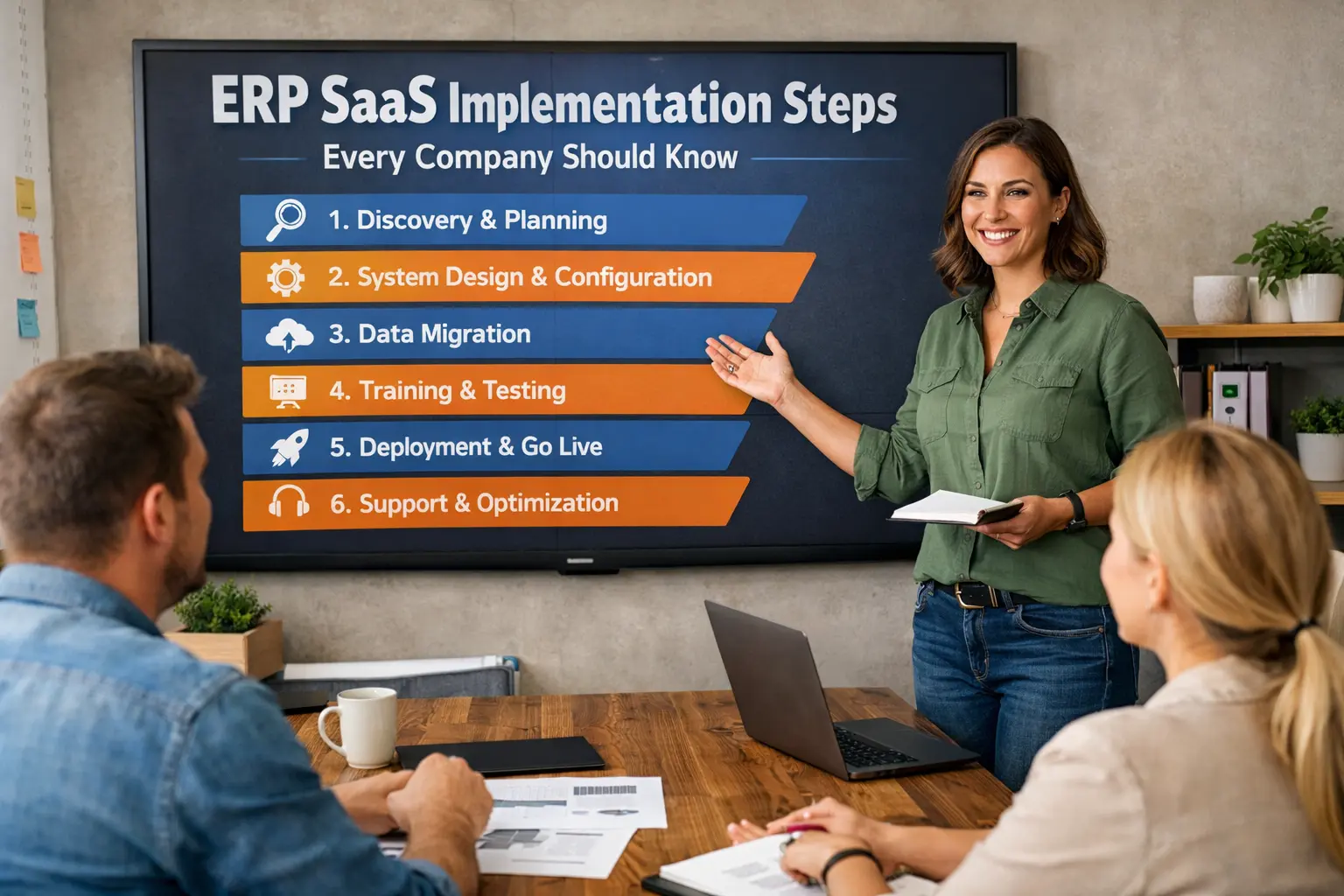
Read More: ERP SaaS Implementation Steps Every Company Should Know
Tools: fybos.com