Best Accounting Software for Businesses in USA
Running a business gets complicated fast. One minute you’re sending invoices, and the next you’re wondering where half your money went. A good accounting platform can turn that chaos into clean numbers, useful reports, and a much calmer Monday morning.
I’ve spent plenty of time comparing accounting tools, and I’ve learned one thing: the best accounting software isn’t necessarily the one with the longest feature list. It’s the one that fits your business, your budget, and the way you actually work.
So, which accounting software should a U.S. business choose? Let’s compare the strongest options, what they do well, where they fall short, and which type of business should consider each one.
What Is the Best Accounting Software for U.S. Businesses?
There isn’t one accounting program that wins for every company. A freelancer has different needs from a 50-person service company, while a retail business may care much more about inventory and sales integration.
For most small and growing U.S. businesses, QuickBooks Online, Xero, FreshBooks, Zoho Books, and Wave deserve serious consideration.
Your choice should depend on factors such as:
- Business size
- Monthly accounting needs
- Invoicing requirements
- Payroll needs
- Inventory management
- Bank integrations
- Tax preparation
- Reports and financial statements
- Number of users
- Monthly software cost
Why pay for 40 features when you’ll use six? Exactly.
Quick Comparison of the Best Accounting Software
Here’s a quick look before we get into the details.
| Accounting Software | Best For | Key Strength |
|---|---|---|
| QuickBooks Online | Small and growing businesses | Broad accounting ecosystem |
| Xero | Growing businesses | Collaboration and accounting features |
| FreshBooks | Freelancers and service businesses | Easy invoicing and time tracking |
| Zoho Books | Budget-conscious businesses | Value and automation |
| Wave | Freelancers and very small businesses | Simple accounting |
| Sage Accounting | Small businesses | Core accounting and financial management |
Prices and plan features can change, so always check the provider’s current pricing before subscribing.
QuickBooks Online: Best Overall for Many Small Businesses
If someone asks me to name one accounting platform that fits a wide range of U.S. small businesses, QuickBooks Online usually comes near the top of my list.
It offers a huge collection of accounting features, integrations, reports, invoicing tools, payment capabilities, and business-management options.
Why QuickBooks Online Stands Out
QuickBooks Online can help businesses manage:
- Income and expenses
- Invoices
- Bills
- Bank transactions
- Financial reports
- Sales tax tracking
- Accounts payable
- Accounts receivable
- Payroll through related services
- Inventory features on supported plans
- Accountant collaboration
The biggest advantage comes from its ecosystem. Many accountants, bookkeepers, payroll professionals, and business owners already know the platform.
That familiarity can save you time when you hire an accountant or hand your books to a professional.
Who Should Use QuickBooks Online?
I’d consider it for:
- Small businesses
- Contractors
- Professional service companies
- Agencies
- Growing startups
- Retail businesses with appropriate integrations
- Businesses that want accountant support
If you expect your company to grow, QuickBooks Online can give you plenty of room to expand.
The Downsides
QuickBooks can feel overwhelming when you first open it.
You may also find the growing number of features and add-ons confusing if you only need basic bookkeeping.
IMO, that makes QuickBooks better for businesses that actually need its broader ecosystem rather than someone who simply wants to send five invoices a month.
Xero: A Strong Choice for Growing Businesses
Xero has built a strong reputation among small and growing businesses that want cloud-based accounting with solid collaboration features.
The platform focuses heavily on online accounting and can connect with numerous business applications.
What Makes Xero Different?
Xero offers features such as:
- Bank reconciliation
- Invoicing
- Expense management
- Financial reporting
- Bill management
- Inventory capabilities
- Payroll integrations
- Project-related functionality
- App integrations
- Accountant collaboration
One feature I particularly like about cloud accounting platforms such as Xero involves collaboration.
Your accountant doesn’t need to wait for you to email a spreadsheet every Friday. They can access the relevant accounting information through the platform when you grant the appropriate permissions.
That sounds simple, but it can save an incredible amount of back-and-forth.
Who Should Choose Xero?
Xero can make sense for:
- Growing small businesses
- Companies working with accountants
- Businesses that need multiple users
- Companies using several business apps
- Businesses that want cloud-based accounting
If collaboration matters to you, Xero deserves a place on your shortlist.
FreshBooks: Great for Freelancers and Service Businesses
If you run a consulting business, design agency, marketing company, photography business, or freelance operation, you probably care more about getting paid than managing a warehouse full of products.
That’s where FreshBooks can shine.
FreshBooks focuses heavily on invoicing, expenses, time tracking, projects, and client management.
FreshBooks Features
Depending on the plan, you can use features for:
- Professional invoices
- Online payments
- Expense tracking
- Time tracking
- Project management
- Estimates
- Client management
- Financial reporting
- Recurring invoices
The interface generally feels approachable, which matters when you don’t want to spend your Saturday night learning accounting terminology.
Who Should Use FreshBooks?
I’d look at FreshBooks if you operate:
- As a freelancer
- A consulting business
- A creative agency
- A marketing agency
- A professional services company
- A small client-based business
If your business revolves around clients, projects, hours, and invoices, FreshBooks can feel like a natural fit.
Where FreshBooks May Not Fit
A product-heavy company with complex inventory requirements may need a more comprehensive accounting ecosystem.
Before choosing it, look closely at your inventory, payroll, reporting, and integration requirements.
Zoho Books: Excellent Value for Small Businesses
Zoho Books deserves more attention than it sometimes gets.
It combines accounting functionality with the wider Zoho business ecosystem, which can appeal to companies that already use Zoho applications.
What Can Zoho Books Do?
Zoho Books can help with:
- Invoicing
- Expense tracking
- Bank reconciliation
- Bills
- Vendor management
- Financial reporting
- Tax-related accounting workflows
- Inventory features on supported plans
- Automation
- Business integrations
The platform also offers different plans, which can make it easier for smaller companies to start with the functionality they actually need.
Who Should Consider Zoho Books?
It can work particularly well for:
- Small businesses
- Startups
- Freelancers
- Service companies
- Businesses already using Zoho products
- Companies looking for accounting software with automation
If you already live inside the Zoho ecosystem, switching to another accounting platform may create unnecessary complexity.
FYI, software ecosystems can save time because fewer tools need to talk to each other.
Wave: A Simple Option for Very Small Businesses
If you’re starting a tiny business and your accounting needs remain basic, Wave can provide an appealing entry point.
Wave focuses on core financial tasks such as income and expense tracking and invoicing.
Why Beginners Like Wave
Small-business owners often don’t need an enormous accounting platform.
They need to know:
- What money came in?
- What money went out?
- Who owes me money?
- What expenses did I have?
- How does my business look financially?
A simple accounting platform can answer those questions without burying you under menus.
Who Should Consider Wave?
Wave may suit:
- Freelancers
- Solopreneurs
- New businesses
- Very small service businesses
- Side businesses with straightforward finances
However, you should review current features and pricing carefully because payment processing and other services can carry separate costs.
Sage Accounting: Worth Considering for Established Small Businesses
Sage Accounting provides another option for businesses that want traditional accounting capabilities through cloud-based software.
It offers tools for areas such as:
- Invoicing
- Cash flow management
- Expense tracking
- Bank connections
- Financial reporting
- Customer and supplier management
Sage has a long history in accounting software, which gives businesses another established option beyond the biggest household names.
Who Should Consider Sage?
Sage may fit:
- Small businesses
- Established companies
- Businesses that want core accounting tools
- Companies working with accounting professionals familiar with Sage
The right choice ultimately depends on the features your accountant and business require.
How to Choose the Best Accounting Software for Your Business
Choosing accounting software sounds easy until you start comparing plans.
Suddenly you’re staring at pricing pages, user limits, integrations, payroll options, reports, and enough feature names to make your coffee nervous.
So how do you narrow things down?
1. Start With Your Business Size
A freelancer probably doesn’t need the same accounting platform as a 100-person company.
Ask yourself:
- How many people need access?
- How many transactions do I process?
- Do I sell products or services?
- Do I manage inventory?
- Do I need payroll?
- Do I work with an external accountant?
Your answers immediately eliminate several options.
2. Look at Your Invoicing Needs
If you send invoices constantly, choose software that makes invoicing fast.
Look for:
- Customizable invoices
- Recurring invoices
- Online payment options
- Automatic reminders
- Customer records
- Invoice tracking
Why manually create the same invoice every month when software can handle the repetitive work?
3. Check Bank Integration
Bank connectivity can save hours of manual data entry.
Good accounting software can connect with supported financial institutions and import transactions, which you can then review and categorize.
Still, don’t blindly trust automation.
Always review your transactions and reconciliations. Software can reduce repetitive work, but you still need to check the numbers.
4. Think About Tax Requirements
U.S. businesses have tax obligations that vary based on business structure, location, industry, and other factors.
Your accounting software can help organize financial records and reports, but it doesn’t replace professional tax advice.
If you collect sales tax across different states or jurisdictions, pay particular attention to the software’s tax-related capabilities and integrations.
5. Consider Payroll Separately
Payroll creates another layer of complexity.
If you have employees, check whether your accounting platform offers payroll directly or connects with a payroll provider that supports your needs.
Look for capabilities involving:
- Employee payments
- Tax calculations
- Payroll reporting
- Tax filings
- Employee records
- Contractor payments
Never assume that an accounting subscription automatically includes every payroll feature.
Best Accounting Software for Freelancers
Freelancers usually need simplicity.
You probably want to track business expenses, send invoices, accept payments, and understand your income without hiring a full-time accounting department.
For many freelancers, I’d shortlist:
- FreshBooks
- Wave
- QuickBooks Online
- Zoho Books
FreshBooks can appeal to freelancers who prioritize client billing and time tracking.
Wave can appeal to users who want straightforward financial tools.
QuickBooks Online makes sense when you expect your business to become more complex.
Zoho Books offers strong value, especially if you already use Zoho applications.
Best Accounting Software for Small Businesses
For a typical U.S. small business, I’d start with:
- QuickBooks Online
- Xero
- Zoho Books
- Sage Accounting
- FreshBooks
QuickBooks Online offers a broad ecosystem.
Xero offers strong cloud collaboration.
Zoho Books offers value and automation.
Sage offers established accounting functionality.
FreshBooks shines when invoicing and client work drive the business.
The winner depends on your workflow rather than someone else’s ranking.
Best Accounting Software for Startups
Startups need flexibility.
You may begin with two founders and a handful of transactions. Six months later, you may add employees, contractors, investors, subscriptions, and dozens of monthly expenses.
That growth changes your accounting requirements.
What Startups Should Prioritize
Look for:
- Scalability
- Cloud access
- Bank integration
- Financial reporting
- Expense tracking
- Invoice management
- Integration options
- Accountant access
- Payroll compatibility
- Strong security practices
QuickBooks Online and Xero often deserve a close look for startups because they can support more complex workflows as the company grows.
Best Accounting Software for Contractors
Contractors often need a simple system for invoices, expenses, customers, and project-related finances.
FreshBooks can work well for contractors who bill clients regularly.
QuickBooks Online can make more sense for contractors who need broader accounting features or plan to grow.
Zoho Books can provide another budget-conscious option.
Before choosing, check how each platform handles contractor payments, expenses, mileage, invoices, and reporting.
Best Accounting Software for E-Commerce Businesses
E-commerce businesses need more than basic bookkeeping.
You may need to connect your accounting software with:
- Online stores
- Payment processors
- Inventory systems
- Shipping platforms
- Marketplaces
- Sales-tax tools
- Expense-management software
That makes integrations extremely important.
Don’t choose accounting software solely because it has a cheap monthly subscription. A low-cost platform can become expensive if you need several additional tools to make it work.
Important Accounting Features to Look For
Regardless of which platform you choose, pay attention to these features.
Bank Reconciliation
Bank reconciliation helps you compare accounting records with actual bank activity.
It provides one of the most useful ways to catch missing or incorrectly categorized transactions.
Expense Tracking
Good expense tracking helps you understand where your business spends money.
Look for features such as:
- Receipt capture
- Expense categories
- Vendor records
- Automated transaction imports
- Mileage tracking where relevant
Financial Reports
At minimum, most businesses should care about reports such as:
- Profit and loss
- Balance sheet
- Cash flow
- Accounts receivable
- Accounts payable
- Expense reports
These reports help you understand the business rather than simply record transactions.
Invoicing
A strong invoicing system should let you:
- Create invoices quickly
- Track unpaid invoices
- Send payment reminders
- Accept online payments
- Create recurring invoices
- Review customer balances
Getting paid faster sounds like a pretty useful feature, right?
Accounting Integrations
Your accounting platform should connect with the tools you already use whenever possible.
Common integrations include:
- Payroll
- Payment processing
- E-commerce
- CRM
- Inventory
- Time tracking
- Expense management
- Banking
Integrations can reduce duplicate data entry and improve workflow efficiency.
Cloud Accounting vs. Desktop Accounting
Cloud accounting has become popular because businesses can access their financial information from supported devices with an internet connection.
You can collaborate with your accountant, review reports, and manage transactions without relying on one office computer.
Desktop accounting can still make sense for certain businesses, especially when specific workflows or legacy systems matter.
For many new businesses, though, cloud accounting offers the more flexible starting point.
How Much Does Accounting Software Cost?
Accounting software pricing varies significantly.
Some providers offer entry-level plans for small businesses, while advanced plans cost considerably more.
You should also consider additional costs for:
- Payroll
- Payment processing
- Extra users
- Premium integrations
- Advanced inventory
- Accountant services
- Tax services
- Data migration
A $20 monthly subscription can quickly become a $100-plus monthly technology stack once you add everything your business needs.
That doesn’t make the software bad. It simply means you should calculate the total cost of ownership, not just the headline subscription price.
Free vs. Paid Accounting Software
Free accounting software sounds fantastic.
And sometimes it is.
But you need to understand what “free” actually covers.
A free plan may include basic accounting or invoicing while charging separately for payment processing, payroll, or premium features.
Paid software often provides more automation, integrations, reports, support, and scalability.
When Free Software Makes Sense
Choose a free or low-cost option when:
- Your business remains very small
- You have simple transactions
- You don’t need advanced inventory
- You have limited users
- You can manage your accounting internally
When Paid Software Makes More Sense
Consider paying when:
- Your transaction volume increases
- You hire employees
- You need detailed reports
- You need multiple integrations
- You work closely with an accountant
- Your business operates across multiple sales channels
Accounting Software Security: What Should You Check?
Your accounting software contains sensitive financial information.
That means security should matter just as much as convenience.
Look for providers that use strong security practices and protect account access with features such as:
- Multi-factor authentication
- User permissions
- Encryption
- Account monitoring
- Secure backups
- Access controls
You should also protect your own account.
Use a strong, unique password and enable multi-factor authentication whenever the provider supports it.
Convenience matters, but nobody wants their accounting software to become the plot twist in their next business meeting.
Do You Still Need an Accountant?
Accounting software can automate plenty of tasks, but software doesn’t magically understand every financial decision your business makes.
An accountant can help with:
- Tax planning
- Financial reporting
- Business structure
- Tax filings
- Complex transactions
- Compliance
- Financial strategy
You may not need a full-time accountant.
A small business might use accounting software daily and work with an accountant periodically.
That combination can provide a practical balance between automation and professional guidance.
Common Accounting Software Mistakes
Even excellent software won’t fix poor accounting habits.
Here are mistakes I’d avoid.
Mixing Personal and Business Expenses
Keep business finances separate from personal finances whenever possible.
Separate accounts make bookkeeping cleaner and can make financial reporting much easier.
Ignoring Reconciliation
Don’t assume every imported transaction looks correct.
Review and reconcile your accounts regularly.
Waiting Until Tax Season
Trying to reconstruct an entire year of financial activity at the last minute sounds fun only if you enjoy unnecessary stress.
Update your books throughout the year.
Choosing Software Based Only on Price
Cheap software can become expensive if it doesn’t support your workflow.
Instead, compare price, features, integrations, scalability, and usability.
Buying Too Many Features
The opposite problem also exists.
Some businesses purchase an advanced accounting platform when a simpler plan would handle everything they need.
More features don’t automatically equal better value.
How I Would Choose Accounting Software
If I had to choose accounting software for a new U.S. business, I’d follow a simple process.
First, I’d write down every accounting task I perform during a normal month.
Then I’d separate those tasks into must-have and nice-to-have features.
My checklist would look something like this:
- Identify business type
- Estimate monthly transactions
- List required integrations
- Determine invoicing needs
- Check payroll requirements
- Review reporting options
- Compare user limits
- Calculate the full monthly cost
- Test the software
- Ask the accountant which platforms they support
That last step can save you headaches.
If your accountant already works comfortably with a particular platform, you may get better support and smoother collaboration.
Which Accounting Software Should You Choose?
Here’s my simple recommendation.
Choose QuickBooks Online if you want a widely used, comprehensive accounting ecosystem with plenty of integrations and professional-accountant familiarity.
Choose Xero if collaboration, cloud accounting, and a growing business matter most to you.
Choose FreshBooks if your business revolves around clients, invoices, projects, and time tracking.
Choose Zoho Books if you want strong accounting functionality and value, particularly within the Zoho ecosystem.
Choose Wave if you run a very small business and want straightforward accounting and invoicing tools.
Choose Sage Accounting if its accounting workflow, features, or professional support network match your business requirements.
Final Verdict: What Is the Best Accounting Software for Businesses in the USA?
The best accounting software for your U.S. business should make financial management easier, not turn you into a part-time software administrator.
For many small businesses, QuickBooks Online remains a strong all-around choice because of its broad features, integrations, and large professional ecosystem.
But Xero, FreshBooks, Zoho Books, Wave, and Sage Accounting can all make sense for different businesses.
The smartest move? Start with your workflow, not the brand name.
Think about how you invoice customers, track expenses, reconcile bank accounts, manage payroll, prepare financial reports, and work with your accountant.
Then choose the platform that handles those jobs without unnecessary complexity.
Because at the end of the day, accounting software should help you understand your business—not become another business you have to manage.
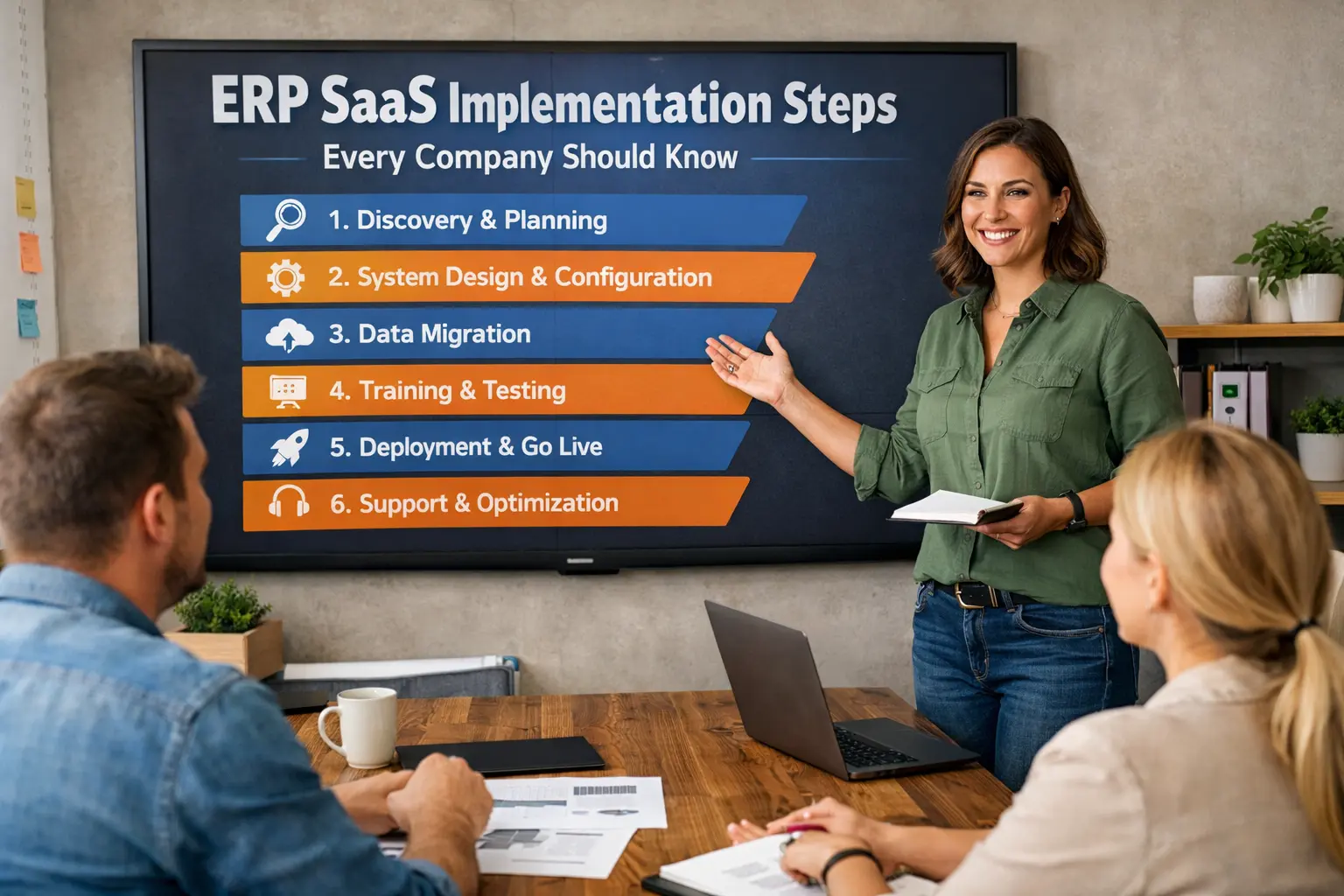
Read More: ERP SaaS Implementation Steps Every Company Should Know
Tools: fybos.com