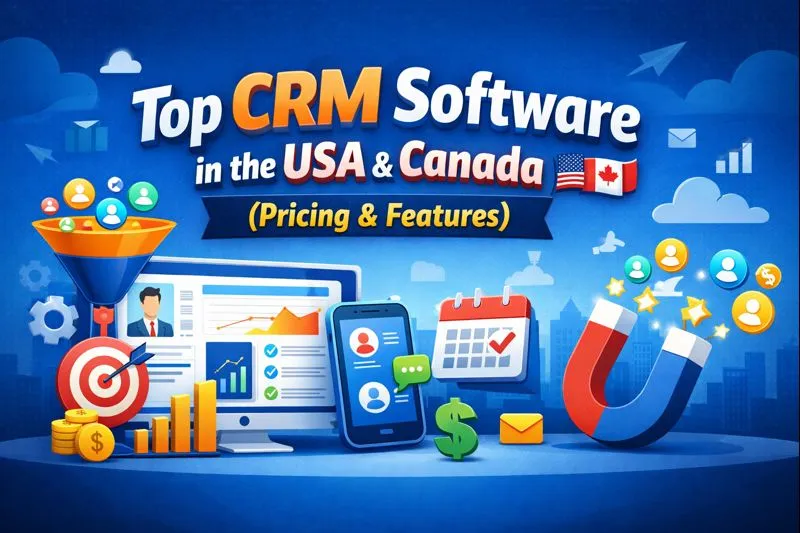
Top CRM Software in the USA and Canada (Pricing & Features)
Choosing CRM software sounds simple until you actually start comparing it.
Then the fun begins: one platform offers amazing automation, another wins on price, another looks beautifully simple, and another seems capable of running your entire company before lunch. So, which CRM should you actually choose?
I’ve compared the leading CRM platforms for businesses in the USA and Canada, focusing on pricing, features, ease of use, scalability, automation, integrations, and overall value. My goal here isn’t to crown one giant winner and call it a day. Different businesses need different tools.
If you run a startup, small business, sales team, agency, or growing company, this guide should help you narrow the field without turning your afternoon into a spreadsheet marathon.
What Is CRM Software?
CRM stands for Customer Relationship Management. A CRM system helps you organize customer information, sales opportunities, communication, follow-ups, and business relationships in one place.
Instead of keeping customer details scattered across spreadsheets, email inboxes, sticky notes, and that one mysterious Excel file nobody remembers creating, your team can manage everything through a centralized system.
A good CRM can help you:
- Store customer and prospect information
- Track leads and sales opportunities
- Manage sales pipelines
- Schedule follow-ups
- Automate repetitive tasks
- Track emails and customer interactions
- Generate sales reports
- Forecast revenue
- Connect marketing and customer-service tools
- Manage customer relationships from desktop and mobile devices
Why does that matter? Because sales teams lose valuable time when they spend more energy searching for information than talking to customers.
Best CRM Software in the USA and Canada: Quick Comparison
Here’s the shortlist I would start with if I were evaluating CRM platforms today.
| CRM | Starting Price* | Best For | Free Option | Standout Strength |
|---|---|---|---|---|
| HubSpot CRM | Free; paid plans vary | Startups and growing businesses | Yes | Easy all-in-one ecosystem |
| Salesforce | $25/user/month | Enterprise sales teams | No | Deep customization |
| Zoho CRM | $14/user/month | Value-focused businesses | Yes | Features for the money |
| Pipedrive | $14/user/month | Sales-focused teams | No | Visual sales pipeline |
| Freshsales | $9/user/month | SMBs and startups | Yes | Affordable sales tools |
| monday CRM | $12/seat/month annually | Flexible teams | Trial | Customizable workflows |
*Prices can vary by billing cycle, region, taxes, seats, promotions, and product configuration. Always check the vendor’s current pricing before purchasing.
Now let’s look at what actually makes each platform worth considering.
1. HubSpot CRM — Best Overall for Many Small and Growing Businesses
HubSpot sits near the top of my list because it gives businesses something they desperately need: a CRM that people can actually start using without a week-long training session.
Its free CRM includes contact management, deal pipelines, CRM imports, reporting, and other foundational tools. HubSpot says its free CRM supports up to two users and allows up to 1,000 contacts under its free tools offering.
That makes HubSpot particularly attractive for startups, freelancers, agencies, and small sales teams.
HubSpot CRM Pricing
HubSpot offers several pricing structures, and the final cost depends heavily on which HubSpot products you select.
Its free CRM costs $0 per month. HubSpot currently lists Starter pricing from around $7 per seat per month for some bundled offerings, while its Smart CRM and Sales Hub pricing can reach considerably higher levels depending on the features you need.
That difference matters.
You should never compare “HubSpot pricing” without checking exactly which HubSpot product you’re buying. The platform has separate sales, marketing, service, content, data, and revenue products.
Key HubSpot Features
- Contact and company management
- Deal pipelines
- Email integration
- Reporting dashboards
- Marketing tools
- Sales automation
- Customer service tools
- AI-powered features
- Mobile CRM
- Large integration ecosystem
HubSpot also offers AI functionality through its newer Smart CRM ecosystem. Its current plans include tools such as AI customer agents, duplicate management, custom reporting, and other intelligent CRM features depending on the plan.
Who Should Choose HubSpot?
Choose HubSpot if you want:
- A strong free CRM
- Easy onboarding
- Sales and marketing integration
- A platform that can grow with your business
- Lots of integrations
- A polished user experience
IMO, HubSpot makes the most sense when you want more than a basic sales database.
The catch? Costs can climb quickly once you start adding advanced hubs, seats, automation, and premium features. Free sounds wonderful until your business grows and suddenly your CRM bill has developed ambitions of its own. 🙂
2. Salesforce — Best CRM for Enterprise Businesses
If CRM software were a Swiss Army knife, Salesforce would be the version with 47 attachments.
Salesforce offers enormous flexibility and a huge ecosystem. Large companies often choose it because they can customize sales processes, reporting, automation, integrations, permissions, and workflows around complicated business requirements.
Salesforce currently lists Sales Cloud pricing starting at $25 per user per month for its Starter Suite. Its Pro Suite costs $100, Enterprise costs $175, Unlimited costs $350, and Agentforce 1 Sales costs $550 per user per month, with billing terms and included features varying by plan.
Key Salesforce Features
- Lead management
- Account and contact management
- Opportunity management
- Sales forecasting
- Workflow automation
- Advanced reporting
- AI features
- Custom applications
- API access
- Extensive integrations
- Enterprise security and administration
Salesforce also connects its CRM with tools for sales engagement, analytics, AI, and other business functions.
Who Should Choose Salesforce?
Salesforce works particularly well for:
- Large companies
- Enterprise sales teams
- Complex sales operations
- Companies with dedicated CRM administrators
- Businesses requiring extensive customization
- Organizations with complicated reporting requirements
Would I recommend Salesforce to a five-person startup that just wants to track leads?
Probably not.
You could use a rocket launcher to open a jar, but that doesn’t mean you should.
Salesforce shines when your business actually needs its depth.
3. Zoho CRM — Best Value for Small and Mid-Sized Businesses
Zoho CRM deserves serious attention if price-to-feature ratio matters to you.
Zoho gives smaller businesses access to sales automation, forecasting, dashboards, workflows, AI features, customization, and other capabilities without forcing them immediately into enterprise-level pricing.
Zoho’s current pricing calculator lists Standard at $14/user/month, Professional at $23, Enterprise at $40, and Ultimate at $52.
Zoho also offers a free edition for up to three users.
Key Zoho CRM Features
- Lead management
- Contact management
- Sales automation
- Workflow rules
- Sales forecasting
- Reports and dashboards
- Email integration
- AI-powered tools
- Custom modules
- Inventory management
- CPQ on higher tiers
- Process management
Zoho’s Professional edition adds capabilities such as AI agents, inventory management, CPQ, predictive intelligence, and extended process management.
Who Should Choose Zoho CRM?
Zoho makes sense for:
- Small businesses
- Mid-sized companies
- Sales teams
- Agencies
- Businesses watching software costs
- Companies that want customization without enterprise pricing
If you want lots of functionality without immediately reaching for the corporate credit card, Zoho deserves a spot on your shortlist.
4. Pipedrive — Best CRM for Sales Pipeline Management
Pipedrive takes a different approach.
Instead of trying to become every business application under the sun, Pipedrive focuses heavily on sales pipeline management.
That focus makes the platform particularly appealing to salespeople.
Pipedrive currently lists its Lite plan at $14 per seat per month when billed annually. Growth costs $39, Premium costs $59, and Ultimate costs $79 per seat per month under annual billing.
Pipedrive also offers a 14-day free trial.
Key Pipedrive Features
- Lead management
- Deal management
- Visual sales pipelines
- Calendar management
- Email synchronization
- Sales automation
- Follow-up sequences
- Sales forecasting
- Lead generation
- Custom reporting
- AI-powered features
- 500+ integrations on the Lite plan
The Growth plan adds email synchronization, automated workflows, sequences, subscriptions, forecasting, meeting scheduling, and additional sales tools.
Who Should Choose Pipedrive?
Pipedrive fits:
- Sales teams
- B2B companies
- Consultants
- Agencies
- Account executives
- Businesses with straightforward sales processes
If your biggest CRM question is, “What happens to this deal next?” Pipedrive deserves a look.
Its visual pipeline approach can make sales stages easy to understand, especially for teams that don’t need a massive marketing ecosystem.
5. Freshsales — Best Affordable CRM for Startups and SMBs
Freshsales from Freshworks offers a compelling option for businesses that want sales CRM functionality without spending heavily.
Freshsales currently lists a free plan for up to three users. Its Growth plan starts at $9 per user per month when billed annually, while Pro starts at $39 and Enterprise at $59.
That $9 starting price immediately makes Freshsales interesting for smaller teams.
Key Freshsales Features
- Contact management
- Account management
- Kanban views
- Sales pipelines
- Chat
- Phone
- Email templates
- Custom fields
- Basic workflows
- Sales dashboards
- Contact scoring
- Sales sequences
- Territory management
- AI features
The Pro plan adds contact scoring, deal insights, custom sales activities, territory management, and sales sequences. Enterprise adds forecasting insights, field-level permissions, custom modules, sandbox capabilities, and audit logs.
Who Should Choose Freshsales?
Freshsales makes sense for:
- Startups
- Small businesses
- Sales teams
- Companies already using Freshworks
- Businesses looking for affordable CRM software
FYI, Freshsales also offers a Freshsales Suite that combines CRM and marketing functionality, which can make the platform more attractive if you want both capabilities under one ecosystem.
6. monday CRM — Best for Flexible, Visual Workflows
You might already know monday.com for project management, but its CRM offering deserves attention too.
monday CRM focuses heavily on customization and visual workflows. That makes it useful for teams that don’t want their CRM to dictate exactly how they work.
Current annual pricing starts at $12 per seat per month for Basic, followed by $17 for Standard and $28 for Pro. monday.com lists Ultimate as custom pricing.
Key monday CRM Features
- Lead management
- Contact management
- Deal tracking
- Custom dashboards
- Automation
- Email communication
- Mobile apps
- AI features
- Custom workflows
- Sales sequences
- Reporting
- Quotes and invoices
The Standard plan adds communication tools and automation, while Pro adds advanced sales tools, AI capabilities, mass emails, sequences, lead sourcing, meeting preparation, and more.
Who Should Choose monday CRM?
monday CRM works well for:
- Agencies
- Creative teams
- Growing businesses
- Operations-heavy sales teams
- Teams that want customizable workflows
- Businesses already using monday.com
If your sales process looks more like a custom flowchart than a traditional sales funnel, monday CRM may feel refreshingly flexible.
CRM Pricing Comparison: Which One Gives You the Most Value?
Price alone can mislead you.
A $10 CRM can become expensive if you need five add-ons. A $50 CRM can become surprisingly affordable if it replaces three separate tools.
So instead of asking, “Which CRM costs the least?” ask:
“Which CRM gives my team the features we actually need without forcing us to pay for stuff we’ll never use?”
Here’s how I’d roughly categorize the platforms:
Best for Free CRM
HubSpot stands out because it offers a strong free starting point.
Freshsales also offers a free option for up to three users, while Zoho provides a free edition for up to three users.
Best for Enterprise
Salesforce wins when you need deep customization, complex workflows, advanced administration, and enterprise scalability.
The platform gives organizations considerable room to build highly customized sales operations.
Best Budget-Friendly CRM
Zoho CRM offers an impressive combination of pricing and functionality.
Its Standard plan starts at $14 per user per month according to its current pricing calculator, with higher tiers adding progressively more advanced capabilities.
Best Sales Pipeline
Pipedrive earns this category because it puts the sales pipeline front and center.
The interface and feature set focus heavily on helping sales teams move opportunities from one stage to another.
Best Affordable Sales CRM
Freshsales stands out with its $9-per-user annual starting plan and its combination of phone, email, chat, workflows, and sales features.
Best Customizable Workflow
monday CRM makes sense when you want a CRM that feels more like a flexible workspace than a traditional sales database.
What Features Should You Look for in CRM Software?
Don’t buy a CRM because the vendor lists 147 features.
Buy it because the CRM solves your problems.
Here are the features I’d prioritize.
1. Contact Management
Your CRM should give every salesperson a clear view of each customer.
Look for:
- Contact details
- Company information
- Interaction history
- Notes
- Tasks
- Emails
- Deals
- Customer activity
If your sales team still asks, “Who talked to this customer last?” your CRM isn’t doing enough.
2. Sales Pipeline Management
A good CRM should make your sales pipeline easy to understand.
You should quickly see:
- New leads
- Qualified prospects
- Active opportunities
- Negotiations
- Won deals
- Lost deals
Visual pipelines help managers identify bottlenecks before they become revenue problems.
3. Automation
Nobody wakes up excited to manually update 200 customer records.
Automation can handle repetitive work such as:
- Follow-up reminders
- Lead assignments
- Email sequences
- Status changes
- Notifications
- Task creation
- Data updates
The more repetitive work you automate, the more time your team can spend selling.
4. Reporting and Analytics
A CRM should answer practical questions.
For example:
- How many deals sit in the pipeline?
- Which salesperson closes the most deals?
- Where do leads come from?
- What does the forecast look like?
- Which opportunities have stalled?
- How long does the average sales cycle take?
Good reporting turns your CRM from a database into a decision-making tool.
5. Integrations
Your CRM shouldn’t live on an island.
Look for integrations with tools your company already uses, such as:
- Gmail
- Outlook
- Slack
- Zoom
- Accounting software
- Marketing platforms
- Customer support systems
- E-commerce platforms
- Calendars
- Automation platforms
Pipedrive, for example, currently promotes integrations with more than 500 apps.
6. Mobile Access
Salespeople don’t sit at desks all day.
A good mobile CRM lets users:
- Check customer records
- Update deals
- Add notes
- Schedule activities
- Review sales pipelines
- Respond to customers
If your sales team travels frequently, mobile functionality becomes much more important.
CRM Software for Small Businesses
Small businesses usually need simplicity more than complexity.
You probably don’t need a CRM with enough settings to require its own department.
For a small company, I would prioritize:
- Affordable pricing
- Easy setup
- Contact management
- Deal tracking
- Email integration
- Simple automation
- Reporting
- Mobile access
- Useful integrations
- Room to grow
HubSpot, Zoho CRM, Freshsales, and Pipedrive make particularly strong starting points for smaller organizations.
Your team should actually use the CRM. That sounds obvious, but many companies buy sophisticated software and then discover that employees still manage everything through spreadsheets.
CRM Software for Startups
Startups face a slightly different problem.
You need something affordable today that won’t become a nightmare when your company grows.
I’d look at:
- HubSpot for its free ecosystem and scalability
- Freshsales for affordable sales functionality
- Zoho CRM for value and flexibility
- Pipedrive for sales-focused teams
- monday CRM for flexible workflows
Startups should also pay close attention to future pricing.
A platform might look cheap for five users but become expensive at 50 users.
Before signing an annual contract, calculate the expected cost at your likely team size in one or two years.
CRM Software for Enterprise Companies
Enterprise CRM requirements look very different.
Large organizations often need:
- Advanced permissions
- Multiple teams
- Custom objects or modules
- Complex workflows
- Advanced reporting
- APIs
- Data governance
- Security controls
- Sandbox environments
- Enterprise support
- Advanced AI
- Multiple integrations
That’s where Salesforce becomes particularly compelling.
Zoho and HubSpot can also serve larger organizations, depending on the required features and architecture.
The important point? Don’t choose an enterprise CRM based on a shiny feature list.
Map your actual business processes first.
CRM Software for Sales Teams
If your primary goal involves closing more deals, focus on the sales workflow.
Your CRM should help reps answer:
Who should I contact today?
Which deals need attention?
Which prospects stopped responding?
What should I do next?
That makes tools such as Pipedrive, Salesforce, HubSpot, and Freshsales especially relevant.
Pipedrive works particularly well for teams that want a clear pipeline. Salesforce suits teams with complex sales processes. HubSpot works well for companies connecting sales and marketing. Freshsales offers an affordable middle ground.
CRM Software for Agencies
Agencies often juggle leads, proposals, projects, retainers, renewals, and multiple client contacts.
That creates a slightly different CRM challenge.
You need to track both the sales opportunity and the client relationship.
I would consider:
- HubSpot
- monday CRM
- Zoho CRM
- Pipedrive
monday CRM can work particularly well when an agency wants to connect CRM activities with broader workflow management.
How Much Does CRM Software Cost?
CRM pricing varies widely.
You can find:
- Free CRM plans
- Low-cost plans around $9–$15 per user/month
- Mid-range plans around $20–$60 per user/month
- Enterprise plans above $100 per user/month
- Custom enterprise contracts
For example, current published pricing puts Freshsales Growth at $9/user/month annually, Pipedrive Lite at $14, Zoho Standard at $14, and Salesforce Starter Suite at $25.
But don’t stop there.
You should also calculate:
- Setup costs
- Migration costs
- Training
- Add-ons
- AI usage
- Marketing contacts
- Premium integrations
- Support
- Additional seats
- Onboarding fees
HubSpot, for example, lists required one-time onboarding fees for certain Professional and Enterprise Sales Hub plans.
That’s why the cheapest advertised price rarely equals your actual annual cost.
USA vs. Canada: Does CRM Choice Change?
The core CRM features usually work similarly in the USA and Canada, but regional considerations still matter.
Canadian businesses should pay attention to:
- CAD billing availability
- Tax treatment
- Data privacy requirements
- Canadian customer support
- Email marketing compliance
- Integration with local accounting tools
- Multi-currency support
US businesses should also consider:
- State privacy requirements
- Industry regulations
- Security controls
- Data residency requirements
- Integration requirements
- Enterprise compliance
If your company operates in both countries, multi-currency support and flexible data management can become especially useful.
You should also verify the vendor’s current privacy, security, and data-processing documentation before putting sensitive customer information into any CRM.
How to Choose the Right CRM
Here’s the process I recommend.
Step 1: Define Your Main Problem
Don’t start by browsing CRM websites.
Start by asking:
What problem do we want the CRM to solve?
Maybe your team loses leads.
Maybe salespeople forget follow-ups.
Maybe managers can’t forecast revenue.
Maybe customer information lives in five different places.
Write the problem down.
Step 2: Identify Your Must-Have Features
Create two lists.
Must have:
- Contact management
- Pipeline
- Email integration
- Reporting
- Automation
Nice to have:
- AI
- Advanced forecasting
- Custom applications
- Complex workflows
- Advanced analytics
This simple exercise prevents you from buying features you don’t need.
Step 3: Calculate the Real Cost
Don’t calculate only:
Users × monthly price
Also include:
- Add-ons
- Setup
- Migration
- Training
- Integrations
- Premium support
- AI usage
- Marketing contacts
Step 4: Test the CRM
Use the free trial whenever possible.
Give three or four team members access.
Ask them to complete real tasks.
Can they add a lead?
Can they find a customer?
Can they update an opportunity?
Can they schedule a follow-up?
Can the manager build a report?
If everyone needs a YouTube tutorial for every basic task, you may have found the wrong CRM.
Step 5: Check Scalability
Ask where you expect your business to be in two years.
A CRM that works beautifully for five people might become expensive or complicated for 100.
Look at future seat pricing before you commit.
Common CRM Buying Mistakes
Choosing Too Many Features
More features don’t automatically mean more value.
Your team might use 15 features regularly and ignore the other 80.
Choose usability over feature-count bragging rights.
Ignoring User Adoption
A CRM only creates value when employees use it.
If your salespeople hate the interface, management will eventually get unreliable data.
Looking Only at Monthly Pricing
Always calculate annual costs.
Also check annual billing discounts, required onboarding, add-ons, usage limits, and premium features.
Migrating Without a Data Cleanup
Don’t dump years of duplicate contacts into your shiny new CRM.
Clean your data first.
Remove duplicates.
Standardize fields.
Delete outdated records.
Fix inconsistent company names.
Otherwise, your new CRM will simply organize your old mess more efficiently.
Buying for Today Only
Think ahead.
If you expect your team to double, check how pricing and functionality scale.
Which CRM Is Best Overall?
There isn’t one universal winner, but I’d narrow the list like this:
Best overall for many small and growing businesses: HubSpot
Its combination of free CRM tools, ease of use, sales functionality, marketing ecosystem, and scalability makes it a strong general-purpose choice.
Best for enterprise: Salesforce
Choose Salesforce when your organization needs deep customization, sophisticated automation, advanced sales functionality, and enterprise-scale administration.
Best value: Zoho CRM
Zoho offers an impressive feature set at comparatively accessible pricing, making it attractive for budget-conscious businesses.
Best for sales pipelines: Pipedrive
Pipedrive keeps the sales process front and center and offers a straightforward progression from lead to closed deal.
Best affordable CRM for SMBs: Freshsales
Freshsales combines a low starting price with email, phone, chat, workflows, and sales features.
Best for flexible workflows: monday CRM
monday CRM works well for teams that want to customize how they organize leads, contacts, deals, and sales processes.
Frequently Asked Questions About CRM Software
What is the best CRM software in the USA?
For many small and growing businesses, HubSpot offers an excellent starting point. Salesforce often makes more sense for larger enterprises, while Pipedrive, Zoho CRM, and Freshsales can suit specific sales and budget requirements.
What is the best CRM software in Canada?
The best option depends on your business size and workflow. HubSpot, Salesforce, Zoho CRM, Pipedrive, Freshsales, and monday CRM all deserve consideration.
Canadian companies should also evaluate privacy, currency, tax, integrations, and compliance requirements before purchasing.
Is HubSpot CRM really free?
Yes. HubSpot offers free CRM tools with contact management, deal pipelines, CRM imports, reporting, and other foundational features. HubSpot currently states that its free tools support up to two users and 1,000 contacts.
Is Salesforce worth the money?
Salesforce can justify its cost when your business needs extensive customization, advanced automation, complex reporting, integrations, and enterprise capabilities.
A small business with simple requirements may get better value from a simpler CRM.
What is the cheapest CRM software?
Several providers offer free plans or low-cost paid plans.
Freshsales currently starts at $9 per user per month on annual billing, while Zoho and Pipedrive start at $14 per user per month on their published annual pricing.
Is CRM software worth it for a small business?
Yes, if the CRM solves a real problem.
A small company can benefit from better lead tracking, customer organization, follow-ups, sales visibility, and automation.
But don’t buy a complex enterprise system just because a vendor tells you that you need it.
How many CRM users do I need?
Start with the employees who actively manage customers, leads, sales, or customer service.
Then expand access based on actual workflow requirements.
Should I choose monthly or annual CRM billing?
Annual billing often provides a lower effective monthly price, but monthly billing gives you more flexibility.
If you haven’t tested the CRM with your team, I’d favor flexibility first.
Final Verdict: Which CRM Should You Choose?
The best CRM software in the USA and Canada depends less on the biggest feature list and more on how well the platform fits your team.
If you want an easy starting point, HubSpot deserves serious consideration.
If you need enterprise-level customization, Salesforce remains one of the strongest choices.
If you want strong functionality at a competitive price, Zoho CRM stands out.
If your world revolves around sales pipelines, Pipedrive makes a lot of sense.
If you want affordable sales functionality, Freshsales deserves a trial.
And if you want a highly customizable workspace for your sales process, monday CRM is worth exploring.
Before you sign a contract, run one final test: give the CRM to the people who will actually use it.
Ask them to manage a real lead from first contact to closed deal.
If they can do it comfortably, you’re probably onto something.
If they stare at the screen like it just asked them to solve quantum physics, keep shopping.
The best CRM isn’t the one with the most features. It’s the one your team actually uses, your business can afford, and your customers ultimately benefit from.
Read More: ERP SaaS Implementation Steps Every Company Should Know
Tools: fybos.com